
PhantomBuster Alternative
PhantomBuster is strong when you need multi-channel sales automations on LinkedIn and beyond. For Google Maps lead lists with place-based credits, enrichment, and a Maps Chrome extension, GMaps Lead Finder is a narrower, Maps-first product.

Why Maps lead teams look for a PhantomBuster alternative
Phantoms and Flows are powerful—but Maps lead ops often want place credits, not shared execution hours across every channel.
Execution hours vs place volume
Plans sell monthly execution time shared by all Phantoms. Forecasting “N local places” means estimating run time—not buying place credits.
Maps is one Phantom among many
Google Maps Search Export sits beside LinkedIn and social automations. Lead packaging for city × niche lists is not the whole product.
No Maps-native Chrome extension
Operators browsing Google Maps often want capture-in-browser—not only paste a search URL into a Flow.
As of research: 14-day trial, then Free (~30 min/mo). Paid Start $69/mo (20h), Grow $159/mo (80h), Scale $439/mo (300h)—plus email, AI, and CAPTCHA credit pools. Annual billing ~20% off.
| Capability | GMaps Lead Finder | PhantomBuster |
|---|---|---|
Google Maps lead lists Via Maps Phantoms / Flows | yes | partial |
Email / social enrichment Email credits | yes | partial |
Web product UI Phantom dashboard | yes | yes |
Browser extension Session / Phantom helpers | yes | partial |
Agent / HTTP API | yes | yes |
Shared web + API credits Shared execution hours | yes | partial |
DIY / general scraping Multi-channel Phantoms | no | partial |
Official Google Maps Platform | no | no |
| Dimension | PhantomBuster | GMaps Lead Finder |
|---|---|---|
| Model | Execution hours + credit pools | Monthly place credits |
| Entry paid | Start ~$69/mo · 20h | Starter $19/mo · 20k credits |
| API / agents | API included on paid plans | Growth+ MCP & HTTP · shared credits |
| Enrichment | Email credits on plan | Built-in on paid Online plans |
Features
PhantomBuster is a sales automation OS: launch Phantoms, chain Flows, and spend execution hours across LinkedIn, Maps, and enrichment. Maps leads are available—but you operate inside a multi-channel console.
We only optimize for Google Maps lead extraction—Online UI, enrichment, CSV zip, extensions, and Agent/MCP with shared Online credits.
Keep PhantomBuster for LinkedIn-heavy outreach stacks. Switch when Maps lists are the whole job.
Pricing
Start at ~$69/mo for 20 shared hours. Maps runs share that pool with every other Phantom—harder to answer “how much for 50k places?”
Growth $49 unlocks Agent API with 80k place credits—easy to model against outreach volume.
Place-credit SaaS is simpler for Maps-only finance reviews.
Ease of use
Sales ops learn Phantoms and Flows quickly. Pure Maps teams still manage slots, hours, and credit pools they may not need.
Keyword form → results → export. Agents paste MCP config on Growth+.
Choose based on whether Maps is the product—or one Phantom among many.
Surfaces
Dashboard + API + session helpers. Maps capture is URL/Flow-centric, not a dedicated Maps browsing extension.
Web, extension, and agents share the Online story (extensions use separate quotas).
Multi-entrance Maps lead work is our focus; multi-channel automation is PhantomBuster’s.
Billing
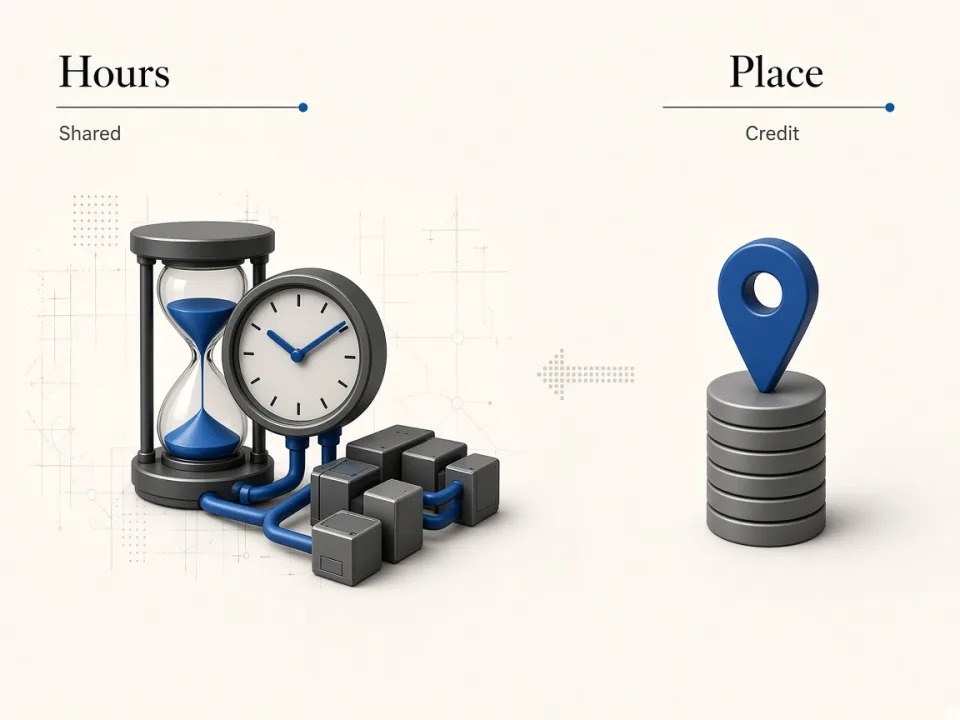
Execution hours vs place credits
If LinkedIn Phantoms already consume most of your monthly hours, Maps lead volume becomes leftover capacity—not a forecastable place budget.
Shared pool
Every Phantom draws from the same execution-time meter.
Place math
We sell 1 credit = 1 Maps place so ops can plan CSV volume.
Surfaces
Multi-channel Phantoms vs Maps entrances
PhantomBuster wins when outreach spans LinkedIn and social. For operators who live in Google Maps—web, extension, and agents—a Maps-native product is less overhead.
Channel breadth
Keep Phantoms when LinkedIn automation is the core workflow.
Maps entrances
We ship Online, Chrome extension, and Growth+ Agent/MCP together.

Who should keep PhantomBuster
Keep PhantomBuster when multi-channel sales automation is the product.
- •LinkedIn prospecting and outreach are primary
- •You chain extract → enrich → message in Flows
- •Maps scraping is occasional, not the weekly deliverable
Who should choose GMaps Lead Finder
Choose us when Google Maps leads are the product.
- •Agencies and SDRs shipping local lists weekly
- •Teams that want enrichment + CSV without hour math
- •Builders who want MCP on place credits
Switching from a Maps Phantom or Flow
Export any CSV you still need, then recreate search queries as Online keyword jobs.
01
Collect keywords
Mirror the Maps search URLs or queries your Phantom used.
02
Run Online
Start on free credits to compare field coverage and enrichment.
03
Automate
Upgrade to Growth+ for MCP/HTTP with the same credit pool.
One product, three entrances
Web, extension, and Agent/API
Online web jobs and Agent/MCP/HTTP share the same monthly credits on Growth+. Chrome extension quotas stay separate.
Related alternatives
Compare other tools teams evaluate alongside this one.
Apify alternative
General Actor platform—great breadth, heavier than a Maps lead SaaS.
CompareOctoparse alternative
No-code scraper for many sites—less specialized for Maps leads.
CompareOutscraper alternative
PAYG Maps API—flexible bursts; we package AI-assisted lead research on monthly credits.
CompareScrap.io alternative
Direct Maps lead SaaS peer—compare price, geo filters, and extensions.
Compare
FAQ
Try GMaps Lead Finder as a PhantomBuster alternative
Start with free lifetime credits, then upgrade when enrichment or Agent API matters.